Enochian chess is a physical set in its original form: one board, four corners, four people leaning over it. On this site it runs in a browser instead, and browsers include the one in your pocket. There is nothing to download and nothing to install, solo play needs no account, and your game saves itself as you go. What a phone changes is not the rules but the handling, and two features exist specifically for that.
Fullscreen is the first thing to turn on
Sixty-four squares on a small screen need every pixel. The topbar has a fullscreen toggle that hides the site chrome and grows the board to fill the viewport, and where the browser allows it the page also goes into real fullscreen. Press it before your first move rather than after you have squinted through three. Exit with the on-screen button or the escape key. On a phone held upright the board becomes close to a square filling most of the display, which is about as good as a four-cornered board on glass is going to get.
Long-press studies a square
On a desktop you right-click a square to study it, which brings up what that square carries. Phones have no right-click, so a long press does the same job: hold a square for about half a second without dragging and it opens for study, and the tap that follows your press is swallowed so you do not accidentally move a piece. This matters more in Enochian chess than the equivalent would in ordinary chess, because the squares are not blank. Each one is drawn as a small pyramid seen from above and carries divinatory attributions on its faces. Studying squares is half of what the board is for. See the Speaking Board.
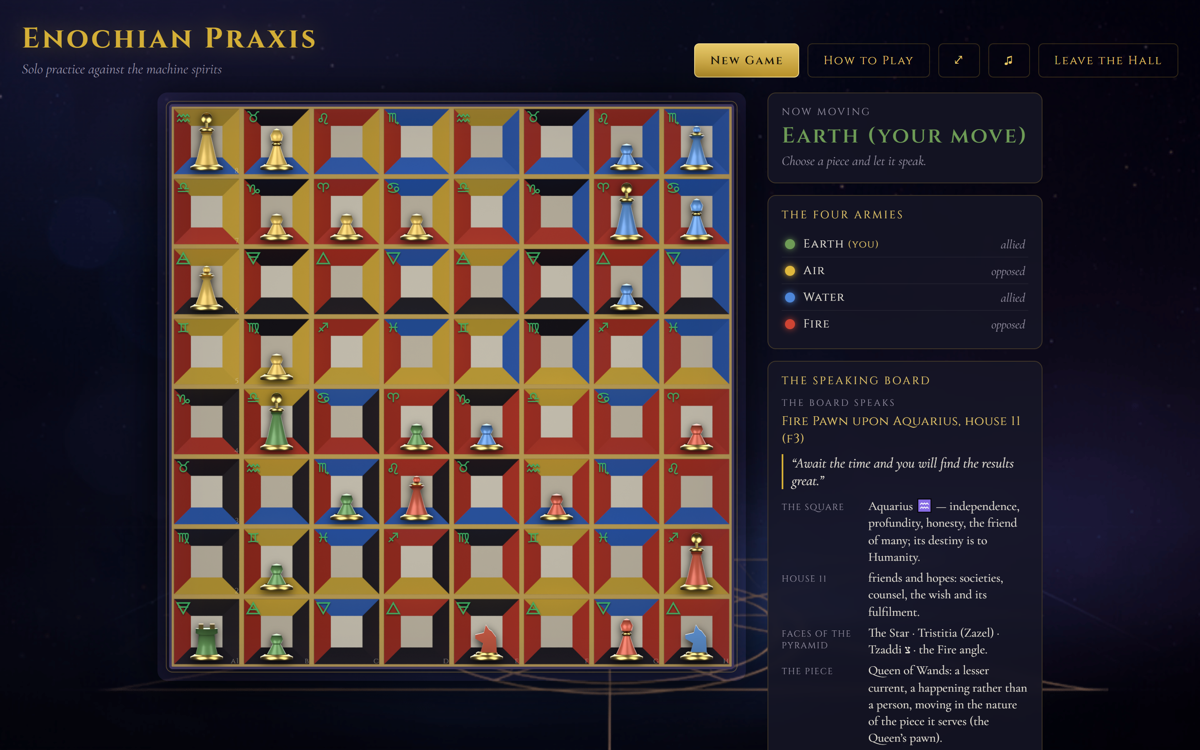
Solo play, no account, autosaved
The straightforward way to play on a phone is solo against the computer, which runs all three other armies at Novice, Adept, or Magus strength. No sign-in, and the game autosaves, which suits phone play exactly: a game of Enochian chess is not short, and being able to close the tab at a bus stop and come back to the same position later is the difference between finishing games and abandoning them. Your divination history persists with the save too, so the readings you have collected during the game are still there when you return. See playing solo.
Online games for two, three, or four
Online multiplayer works on a phone as well, and it does need a sign-in. You can open a game for two, three, or four players, and any seats nobody claims are run by the computer, so you are never stuck waiting for a full table of four. Moves are refereed by the server rather than trusted to the clients, which in practice means an unreliable phone connection cannot corrupt a game: the position is authoritative elsewhere and your client resynchronizes. Alliances are fixed, so if you and one friend take a side you will be sitting at diagonally opposite corners. See playing online and two, three, or four players.
What to learn before you play on a small screen
Two rules save the most fumbling on a phone. The Queen leaps exactly two squares in any direction and jumps whatever is between, so do not try to nudge her one square and do not assume a blocker contains her. And there is no checkmate: Kings are captured outright, a captured King freezes his whole army into terrain, and an alliance wins only when both enemy Kings have been taken. Knowing those two before your first mobile game means you spend your attention on the board rather than on the rules. Start with the beginner's guide, and if you want the list of everything else that catches people, read nine mistakes new players make.
Open it on your phone right now
No download, no account for solo, and the game saves itself. Turn on fullscreen, long-press a square to study it, and play.
Play NowKeep reading
Learn the game itself in Enochian chess for beginners, play against the computer with playing solo, or take a seat online in playing online.